Inventory and geographic context
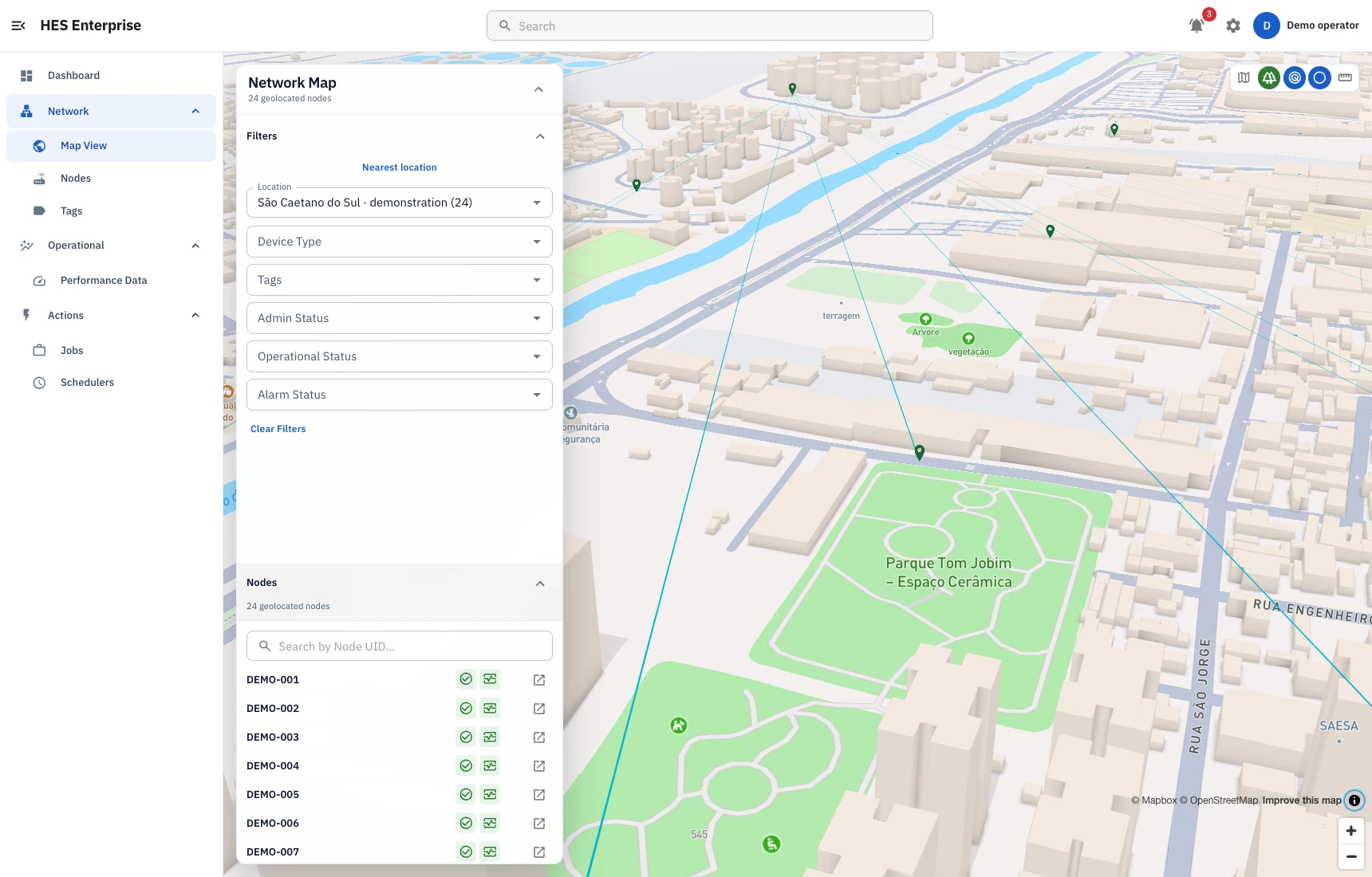
Inspect device identity, location, connectivity and relationships. Map View adds a geographic perspective, with filters and a 3D view for exploring the network.

ARA / HES ENTERPRISE
From inventory to execution. One platform for the operation.
As the installed base grows, checking devices one at a time is no longer enough. HES Enterprise brings device records, operational information and the team’s remote work into one platform.
 Open full capture
A useful inventory explains what is installed, where it is and its current condition. HES connects device identity with the information your team needs for daily operations.
 Open full capture
Inspect device identity, location, connectivity and relationships. Map View adds a geographic perspective, with filters and a 3D view for exploring the network.
Examine measurements, events and alarms alongside their timestamps. This context helps distinguish a persistent condition from a one-off incident or a communication interruption.
Review reported parameters and request authorized changes. The operation result lets the team check what the device reported after the request, within its supported capabilities.
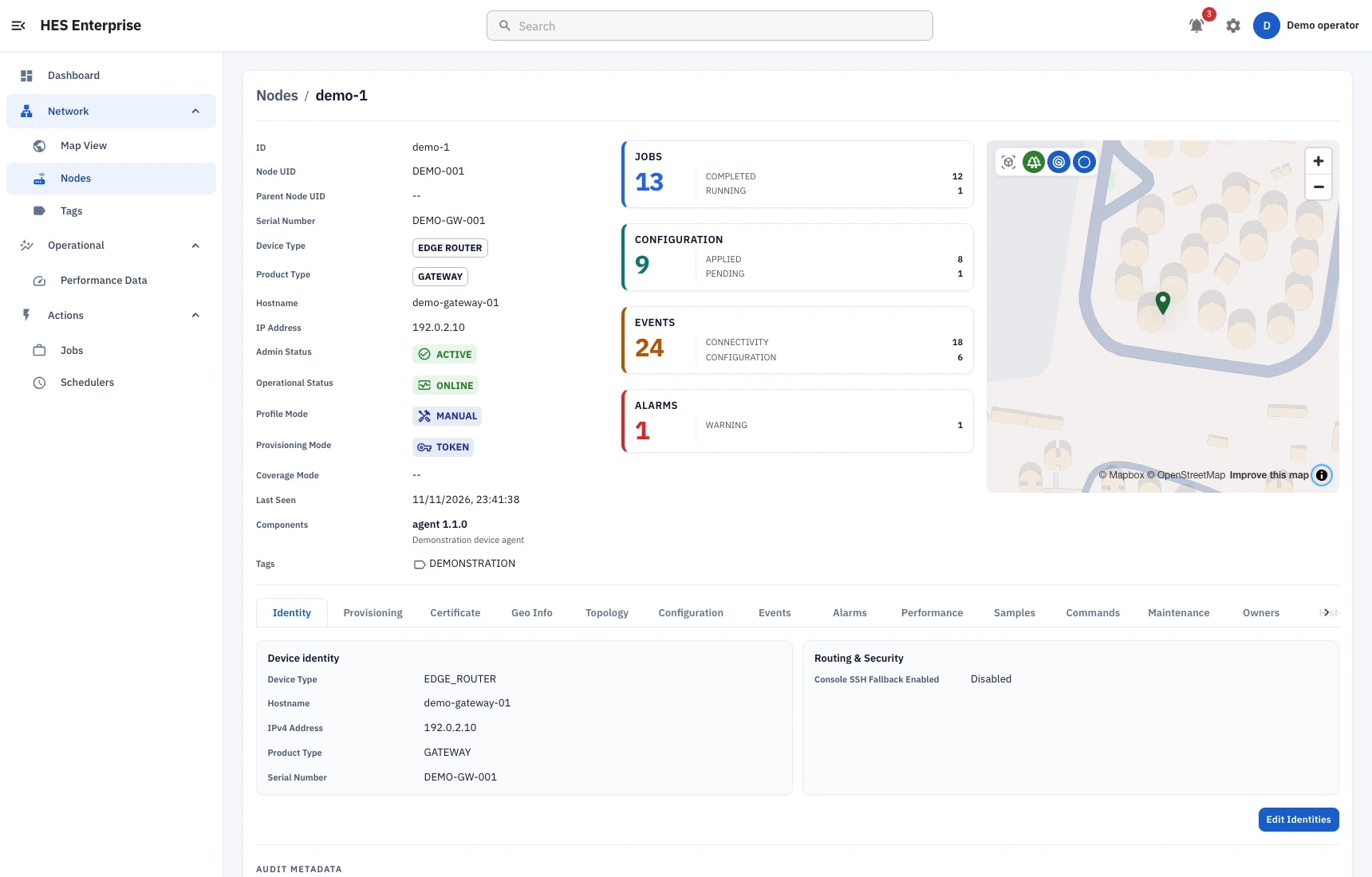
Node Details brings together identity, status, components, profiles and location. Its tabs provide access to available configuration, events, alarms, performance and history, keeping the investigation tied to the selected equipment.
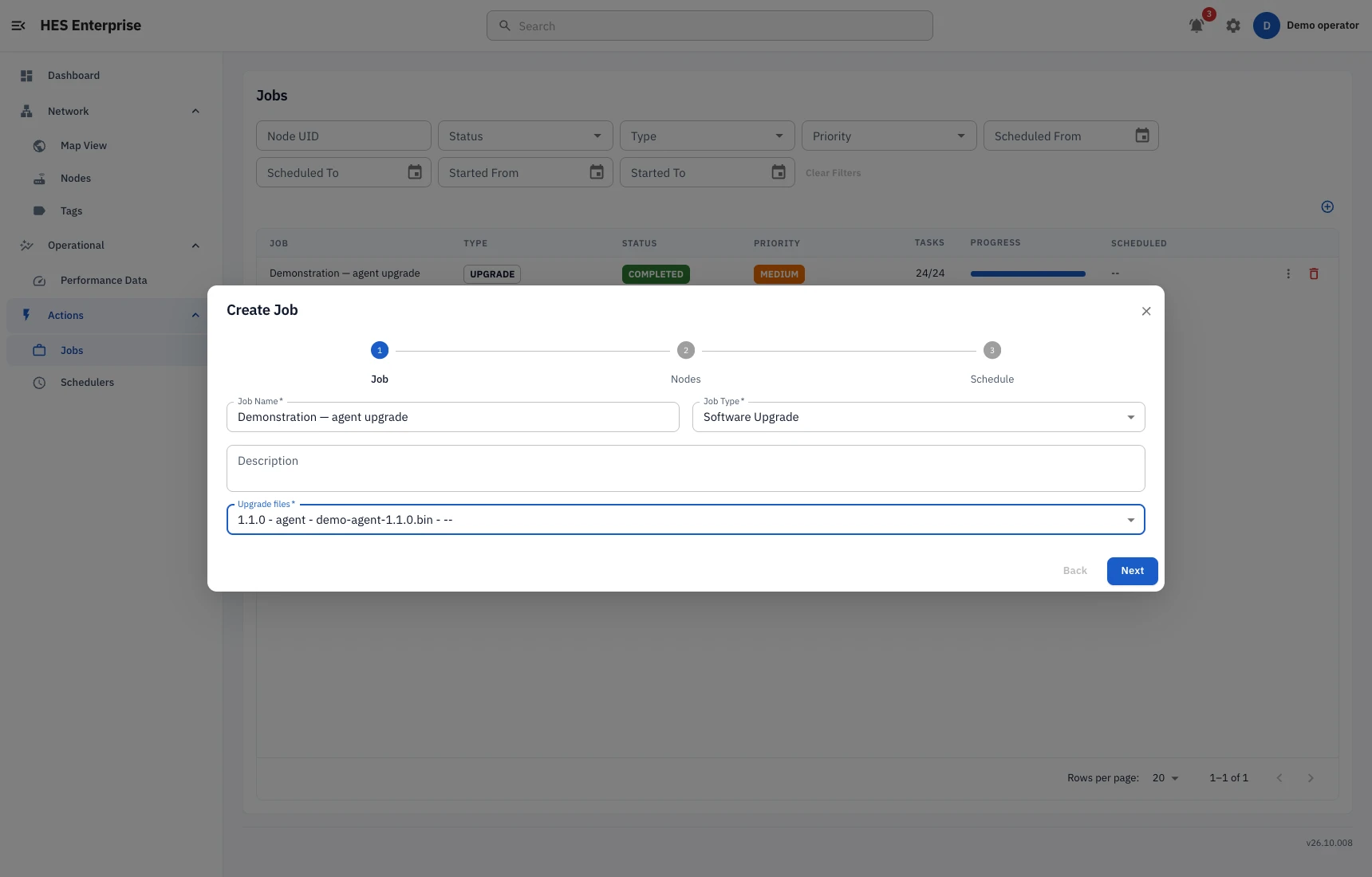
A job brings together an operation and its target devices. Each task retains its own outcome, so overall progress does not hide an individual failure.
 Open full capture
Select the targets, operation and priority. Supported diagnostics, commands, data collection, configuration and upgrades can be organized around that scope.
Start immediately or schedule a time. Configuration and OTA upgrades can also follow each device’s next maintenance window, depending on the operation.
Review completed tasks, failures and waiting work. Cancel or reschedule eligible tasks when plans change, keeping a request distinct from its confirmation.
Remote operations need clear boundaries. HES combines device identity, user authentication and permissions to control access to information and actions.
Certificates and controlled registration authenticate connections from compatible equipment using HES Node Agent. Identity accompanies the device throughout its relationship with the platform.
Organize access around the team’s duties. Reading information, administering devices and performing actions are responsibilities that require appropriate permissions.
Retain the association between an operator, a device and a requested action. These records support work reviews and investigations into operational changes.
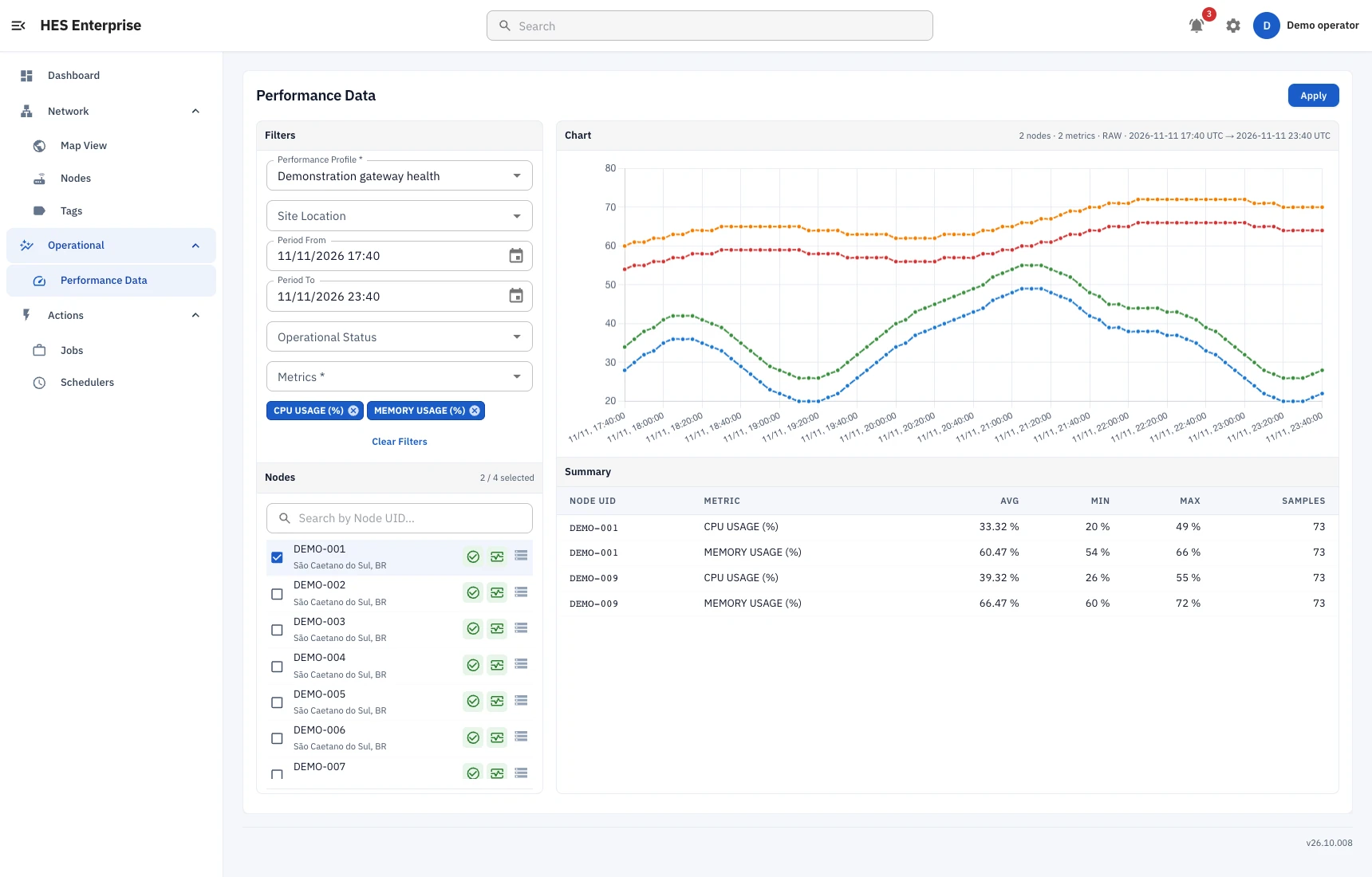
Select the performance profile, devices, metrics and query period. Charts show the available series; the summary presents minimum, maximum and average values alongside sample counts, so the team can compare behaviour against the same time reference.
 Open full capture
Focus monitoring and analysis on the measurements, alarms and conditions relevant to each application. Adapt that focus to device profiles and operational priorities.
Bring readings together with events and diagnostic evidence before prioritizing an intervention. Analysis organizes the context so the team can assess the situation and choose a response.
Integration architecture depends on the field interfaces and the systems receiving the data. Define the purpose of each connection before deployment.
Software installed on compatible equipment to communicate data and perform authorized operations. It connects the managed device to HES Enterprise services.
Gateways and embedded devices serve applications requiring specific interfaces or firmware. Hardware selection and availability are described on the Hardware page.
Define which information belongs in maintenance, logistics or management systems. The project considers the formats, frequency and context needed to make that data useful in its destination process.
Fleet size is only part of capacity planning. Communication frequency, data volume and concurrent operations also shape a deployment.
The architecture supports horizontal scaling as the device base grows. Each deployment is sized around its usage profiles and the resources required by that scenario.
Device simulations exercise representative workflows and loads before a deployment expands. Results should be interpreted within the conditions and scope of each test.
Choose the environment around data control, connectivity and operational responsibility. HES Enterprise can be deployed on private servers or in the cloud.
PRODUCT EVALUATION
Bring a set of devices and an operation your team needs to perform. That scenario gives us a basis for discussing compatibility, permissions, integration and evaluation criteria.